Local-first context platform

One memory layer for AI chats, coding agents, and terminals

ContextVault captures browser conversations and terminal work sessions, combines them in one local index, and prepares portable context for the next model or coding agent.

New · Package-powered Desktop GUI

Watch the complete workflow

Record · Watch · History · Retrieve · Prepare · Export
Add a project

Step 1 of 11

Add a project

Pick any local folder. ContextVault creates its .contextvault storage there.

Auto

Real Desktop UI · step-by-step walkthrough · no edits, no mockups

No backendNo accountsNo trackingOpen source

Browser Capture

Record LLM chats

Local

ChatGPT, Claude, Gemini, Perplexity, Poe, DeepSeek, Copilot
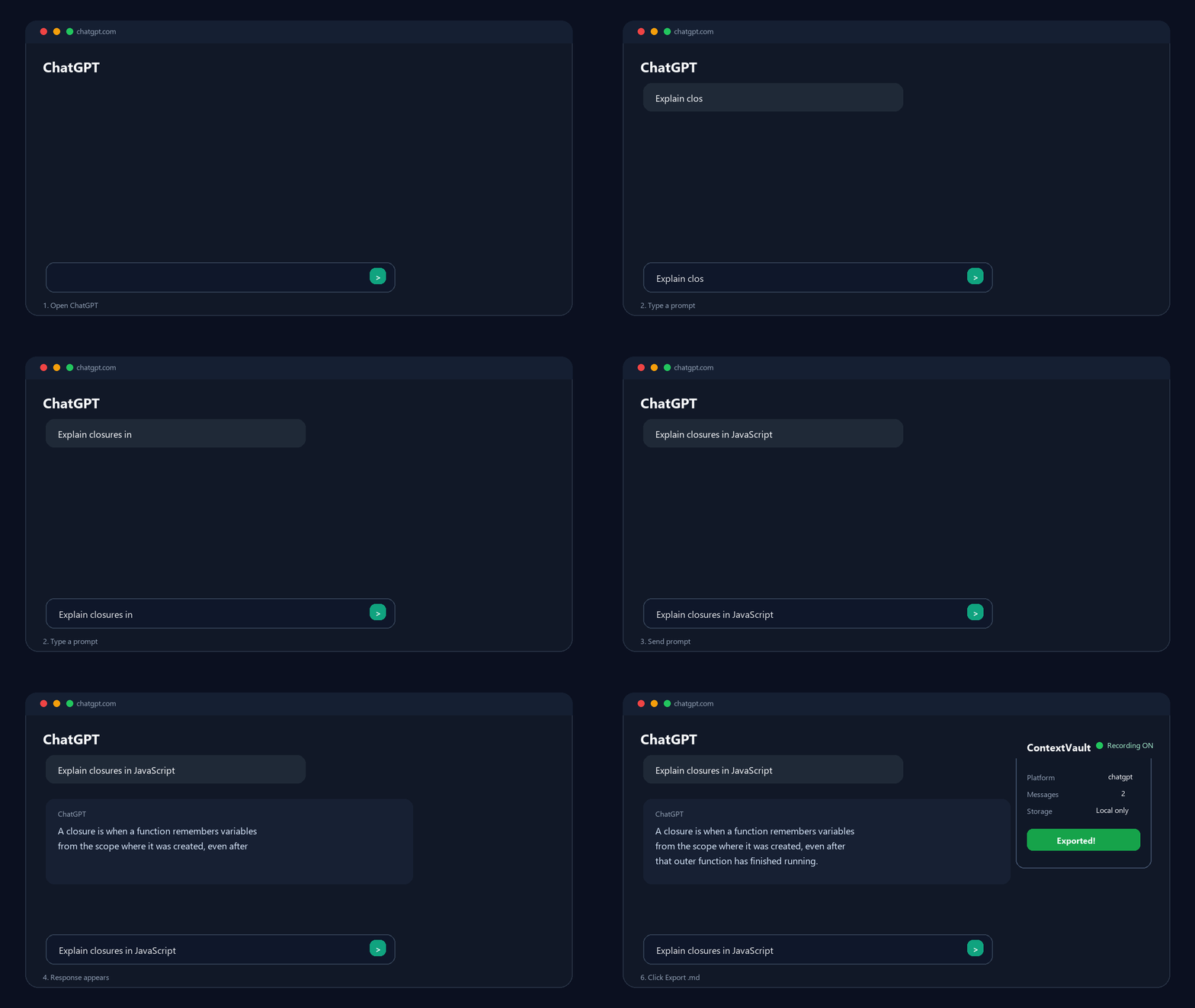
ContextVault captures browser AI conversations in real time and exports them as Markdown

Vault Terminal

Record agent work

Local

Codex, Claude Code, Cursor workflows, notes, decisions, tasks
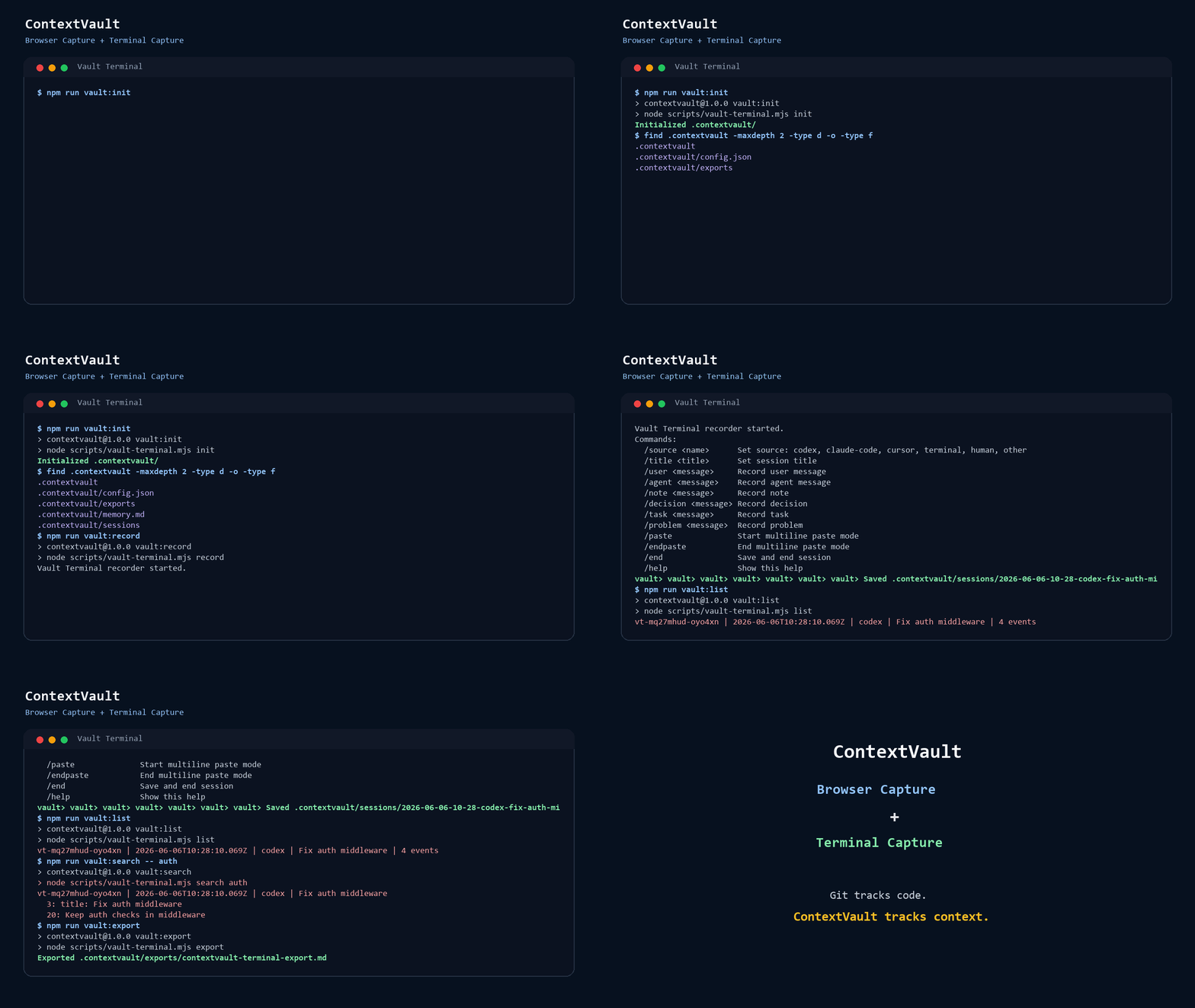
Vault Terminal records a coding-agent session and exports local Markdown context

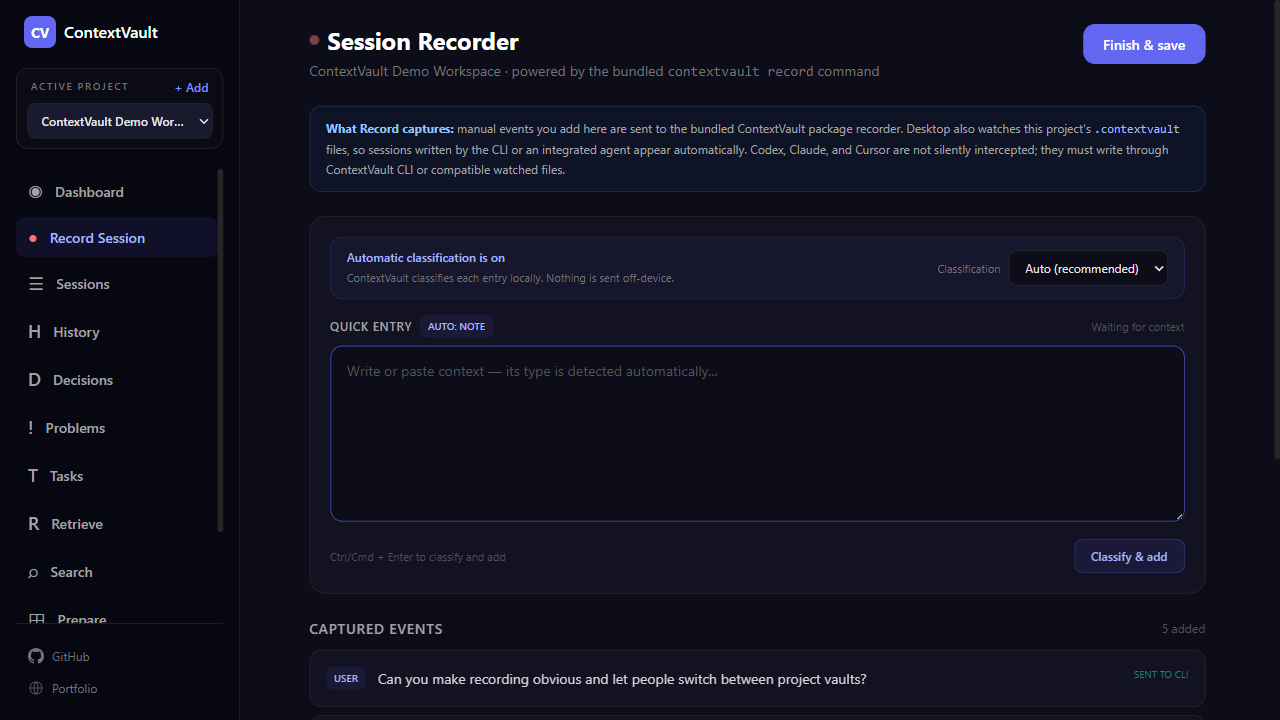
Desktop App

Visual context manager

Local

Windows and Linux installers, macOS source build — search, prepare, and export

CV
ContextVault
◉ Dashboard
☰ Sessions
⌕ Search
⊞ Prepare
⚙ Settings
Dashboard
12
Sessions
43
Events
8
Decisions
⌕ Search
⊞ Prepare
📥 Import
⚙ Settings
The Problem

Your most valuable AI context is disappearing

Every chat, terminal session, and agent run contains decisions you might need again. Today, that knowledge is scattered or lost.

01

Switch tools, lose context

Every switch between ChatGPT, Claude, Gemini, Codex, Cursor, or a terminal session can reset the working memory.

02

Context windows erase work

Long chats and agent sessions get truncated. Important insights vanish before they become reusable memory.

03

Scattered across surfaces

Your context lives across browsers, terminals, accounts, providers, agents, and sessions with no source of truth.

The Solution

Meet your local-first context platform

ContextVault gives browser chats and terminal sessions a shared local memory layer, so context survives tool switches.

01

Captures from two surfaces

Browser Capture records LLM chats. Terminal Capture records agent work, notes, decisions, tasks, and problems.

02

Stays local, stays yours

Browser data stays in IndexedDB. Terminal sessions stay in local Markdown. No cloud account required.

03

Becomes reusable memory

Import browser exports, index both sources, and prepare focused context for the next agent.

Two Capture Surfaces

Capture context where it actually happens

Browser exports and Terminal Capture feed the same local-first Context Engine. One preserves conversations. The other preserves agent work and project decisions.

Browser Capture

Use it when the work happens in an LLM web app

Install the extension, chat normally, and export structured Markdown or ZIP files when the conversation becomes useful context.

1Capture a supported LLM conversation locally
2Export Markdown or ZIP from the popup
3Import it with contextvault import

Best for prompts, answers, research threads, model comparisons, and account/platform switching.

Terminal Capture

Use it when the work happens in a coding-agent session

Run Vault Terminal inside a project and record the raw context that usually disappears from terminals and coding tools.

1npx @aliabdm/contextvault init
2contextvault record
3contextvault search auth

Best for Codex sessions, Claude Code notes, Cursor workflows, decisions, tasks, bugs, and project memory.

Context Engine

Capture is the input. Reusable context is the product.

ContextVault combines exported browser conversations with terminal sessions, retrieves what matters, and prepares focused context packages for Codex, Claude Code, Cursor, or another agent.

01

Import

Bring extension Markdown or ZIP exports into the local project vault without changing browser capture.

contextvault import chats.zip
02

Normalize

Convert browser conversations and terminal sessions into shared ContextSession and ContextEvent records.

contextvault index
03

Index

Build one local knowledge index across both capture surfaces.

.contextvault/index
04

Retrieve

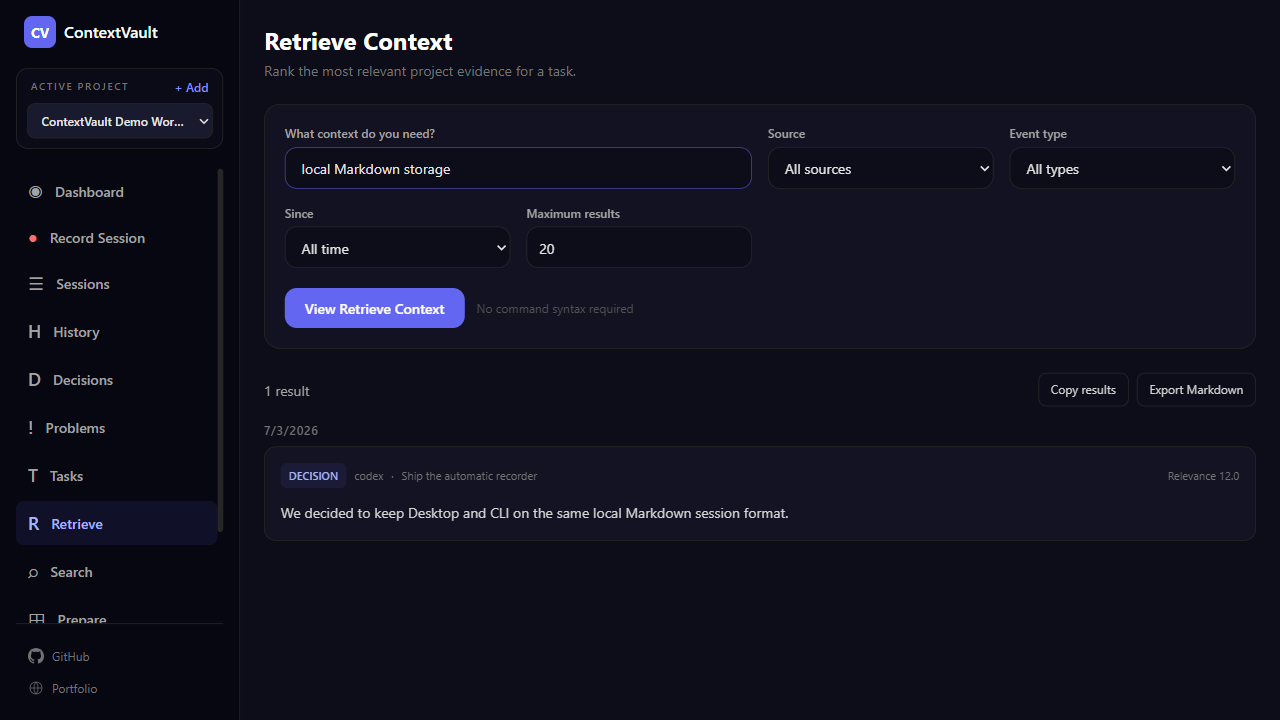
Rank relevant project context for a task without sending data to an external model.

contextvault retrieve "auth"
05

Prepare

Create a focused Markdown context package ready for the next coding agent.

contextvault prepare "auth"

Storage

Local Markdown + JSON index

Retrieval

Deterministic and private

Output

Agent-ready context packages

How It Works

One memory layer, two inputs

Capture context where it happens, unify it locally, and carry only the relevant memory into the next tool.

01
Step 1

Capture from the browser

Use ChatGPT, Claude, Gemini, or other LLMs. The extension records conversations in the background.

02
Step 2

Capture from the terminal

Run Vault Terminal when you want to preserve agent work, decisions, tasks, problems, and project notes.

03
Step 3

Import browser exports

Bring exported Markdown or ZIP conversations into the same local project vault without changing extension behavior.

04
Step 4

Retrieve and prepare

Search both sources together and generate a focused context package for the next model or coding agent.

Unified Engine Demo

From scattered sessions to usable project evidence

See the complete local workflow: export a browser conversation, import it, combine it with agent work, investigate decisions and problems, then prepare focused context for the next agent.

Desktop App

Manage context without the terminal

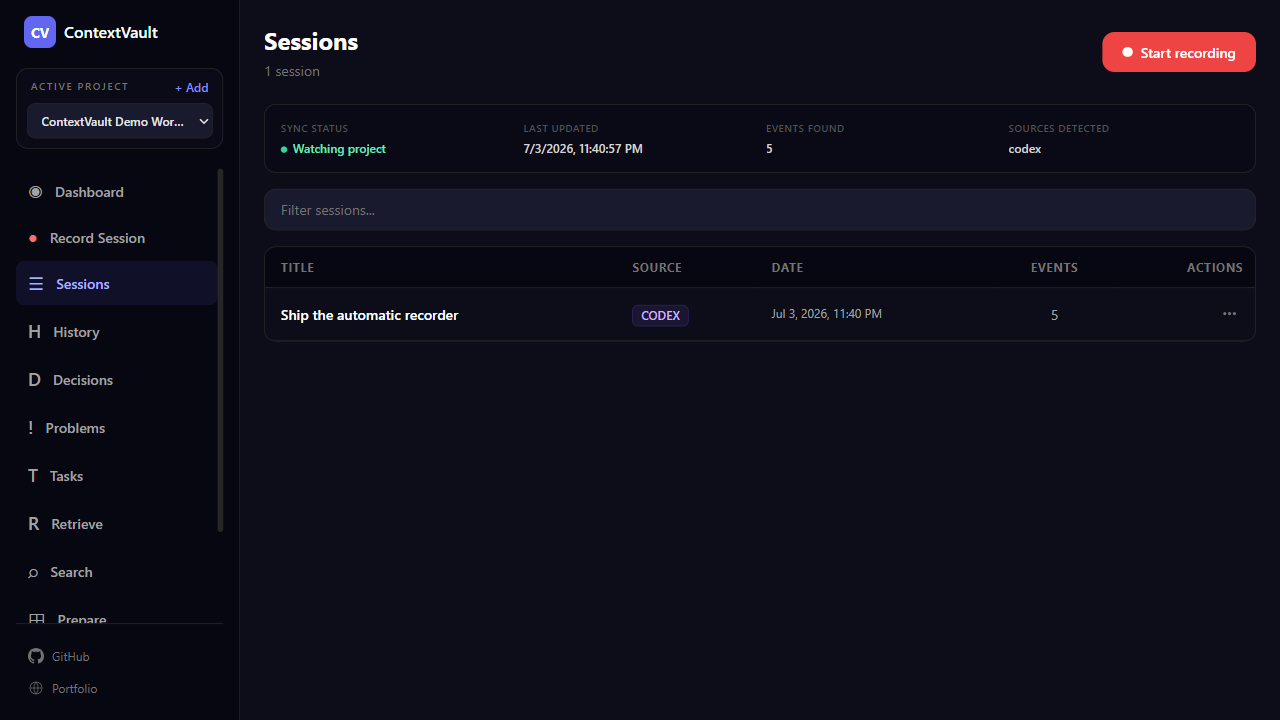
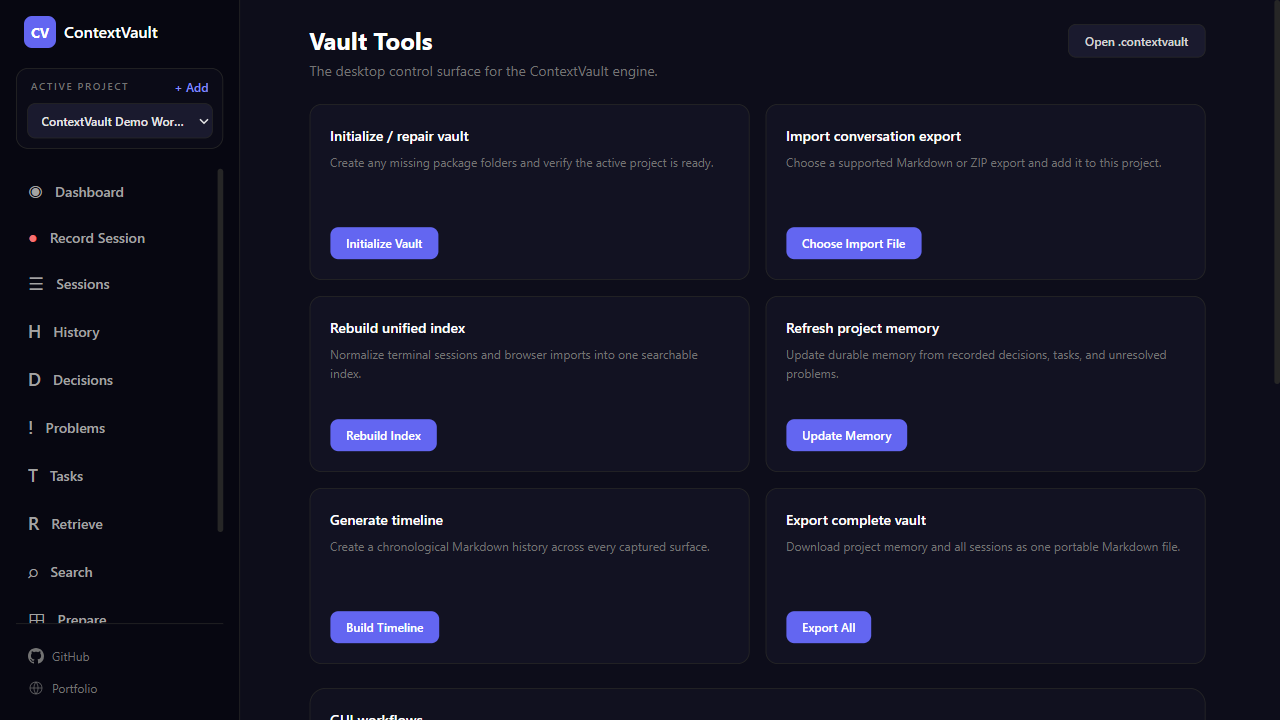
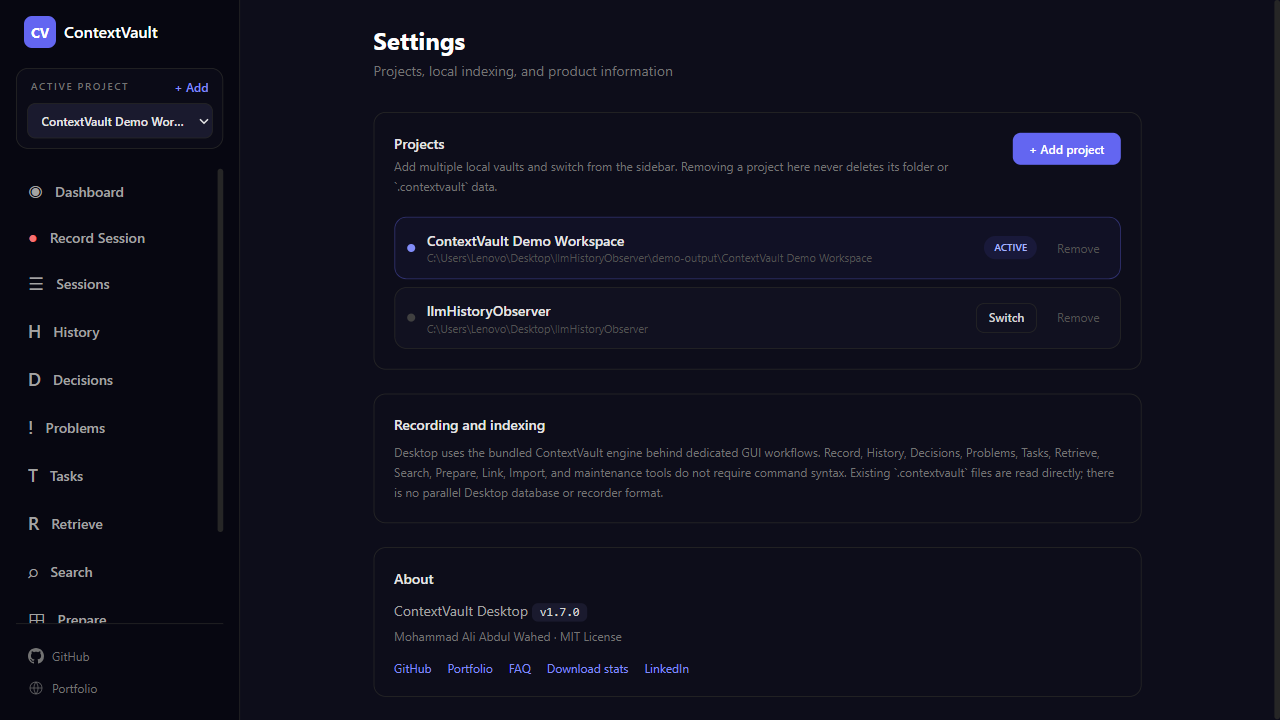
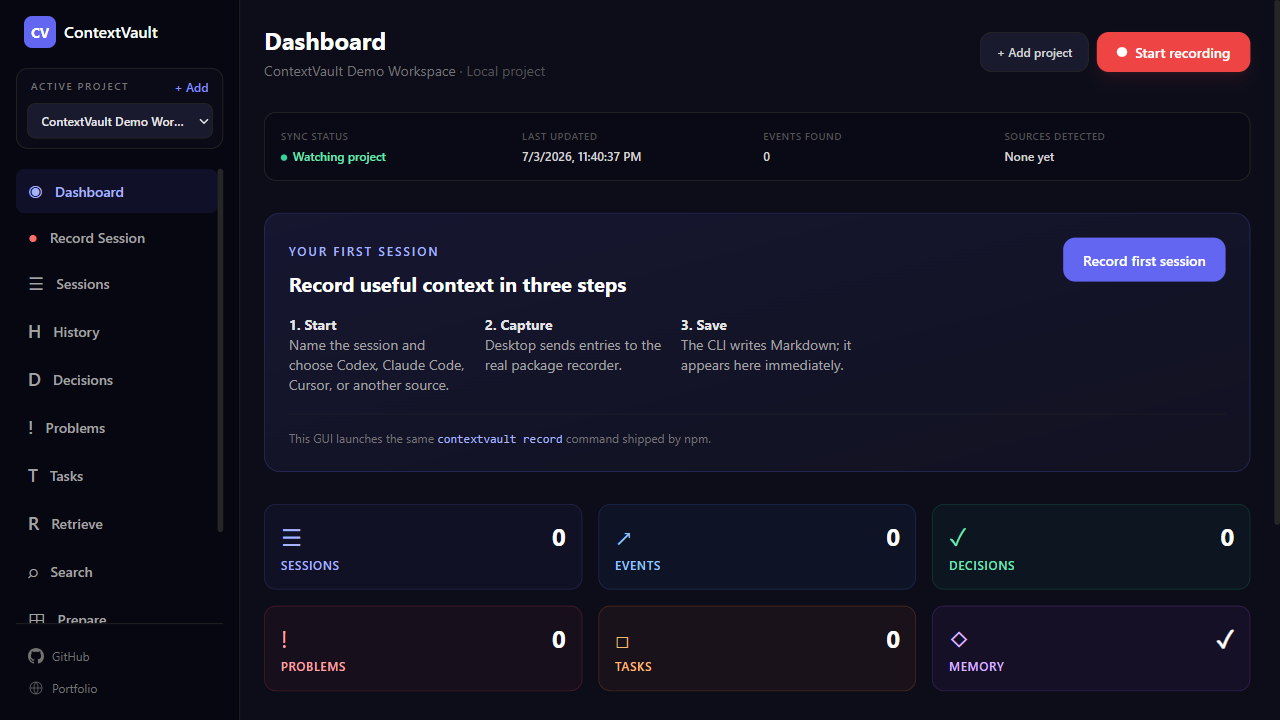
Record, inspect history, filter decisions and problems, retrieve evidence, prepare context, link sessions, and manage projects through dedicated GUI workflows. The CLI remains the shared engine—not the user experience.

Start in under a minute

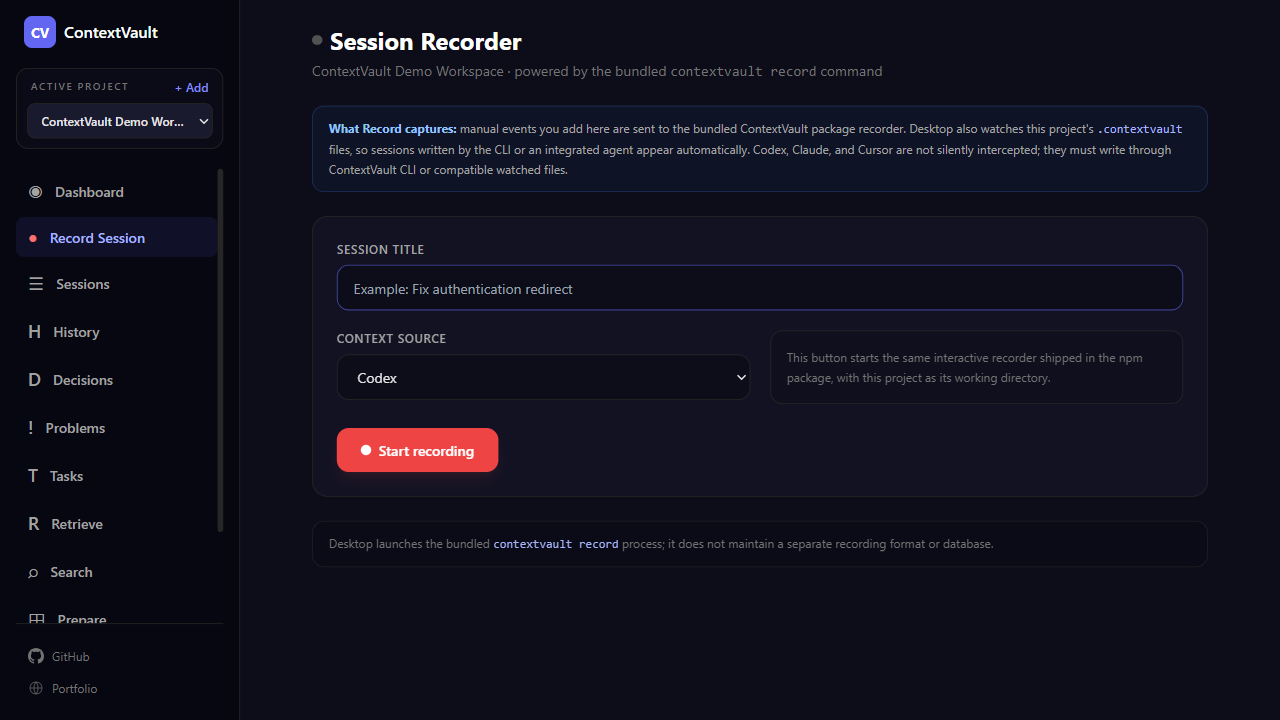
Recording is a visible, explicit action

ContextVault never watches your screen or terminal in the background. You decide what becomes durable project memory.

No background captureLocal-onlyPackage-powered
  1. 1

    Add a project

    Choose a local folder. Add more later and switch from the sidebar.

  2. 2

    Start recording

    Name the session and choose Codex, Claude Code, Cursor, or another source.

  3. 3

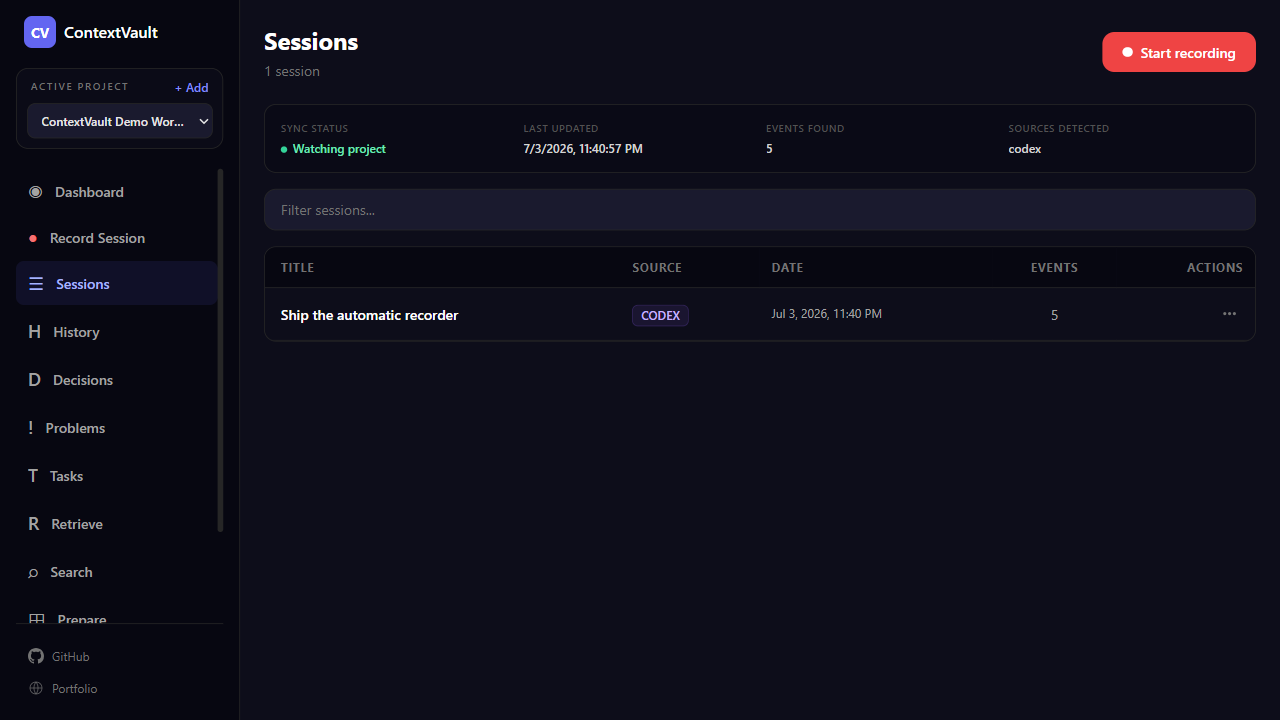
    Work visually

    Use filters and result screens; sessions written by CLI or integrated agents appear live.

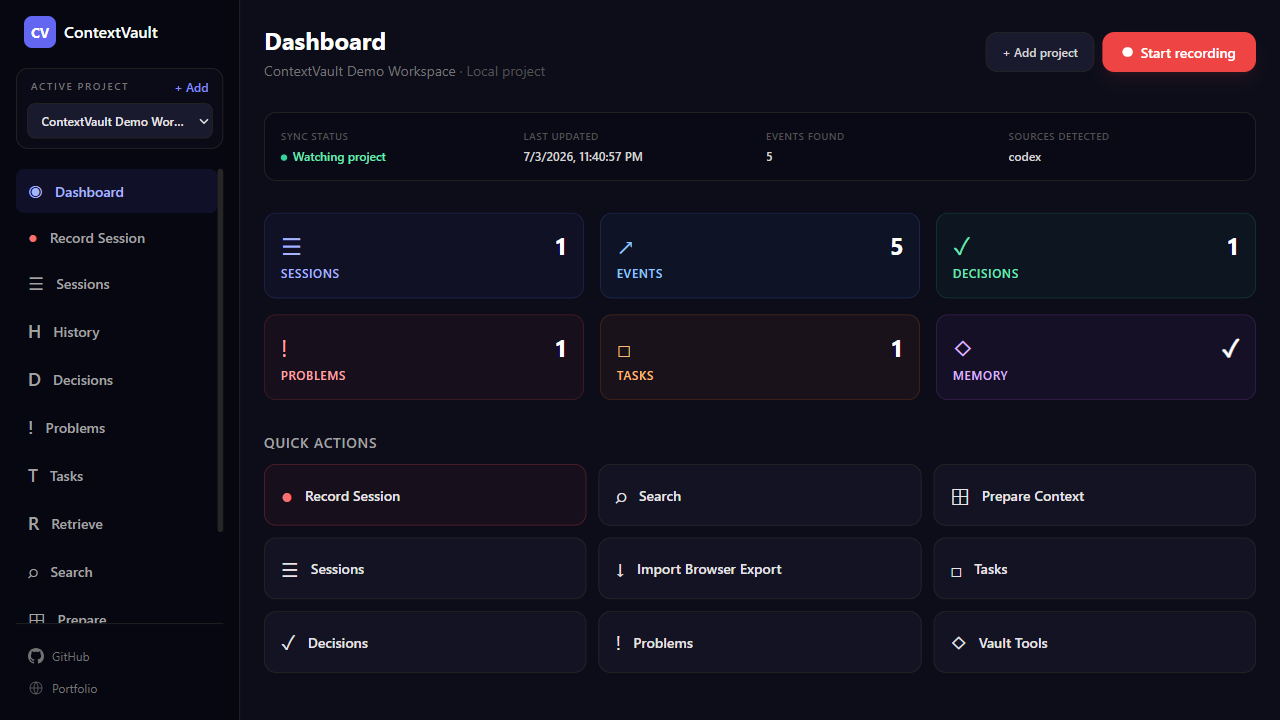
ContextVault Desktop dashboard with full project context — sessions, events, decisions, problems, and tasks

Dashboard with full project context

Sessions, events, decisions, problems, and tasks aggregated from the local index — no cloud, no telemetry.

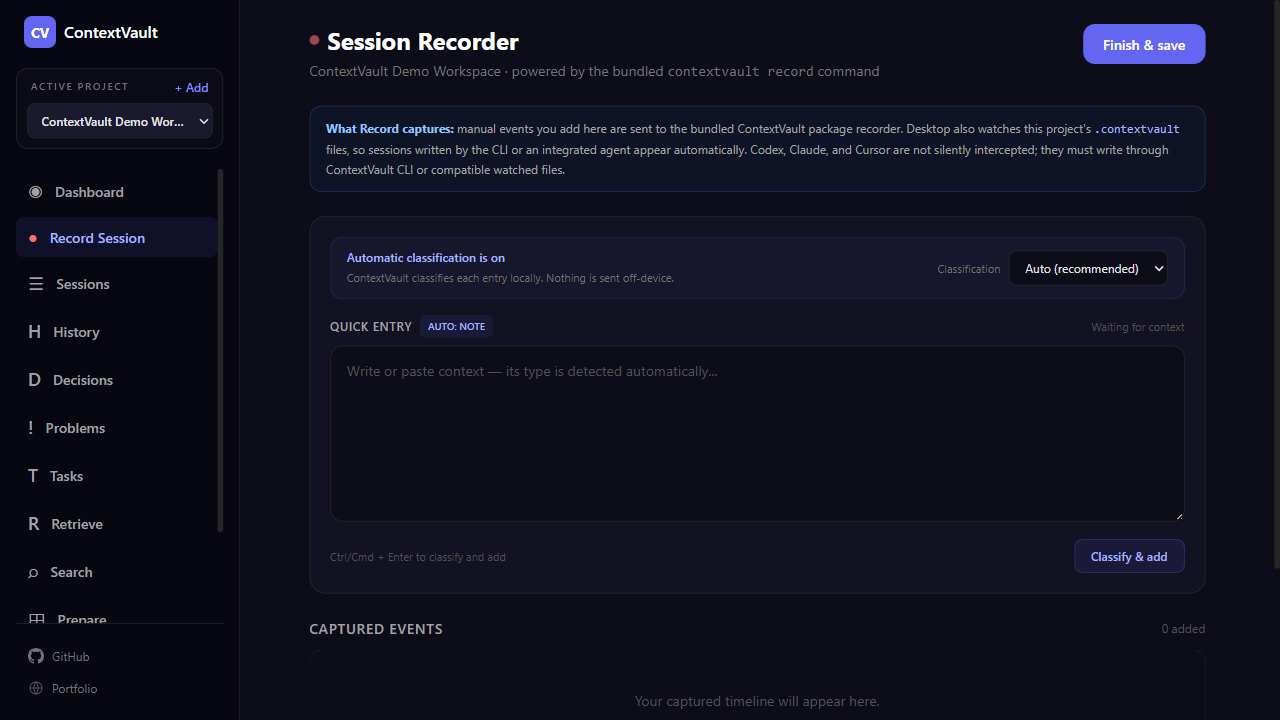
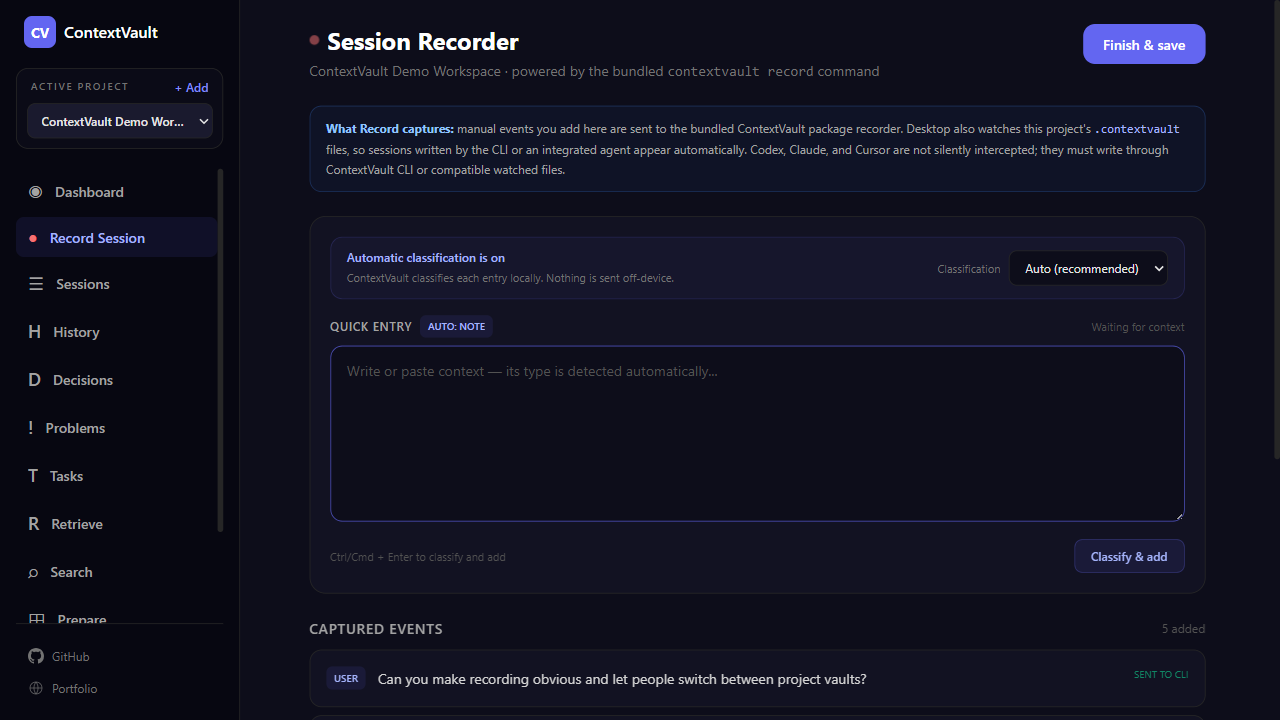
ContextVault Desktop recorder automatically classifying User, Agent, Decision, Task, and Problem events

The real package recorder

Start launches the bundled `contextvault record`; entries and output flow through the same CLI code.

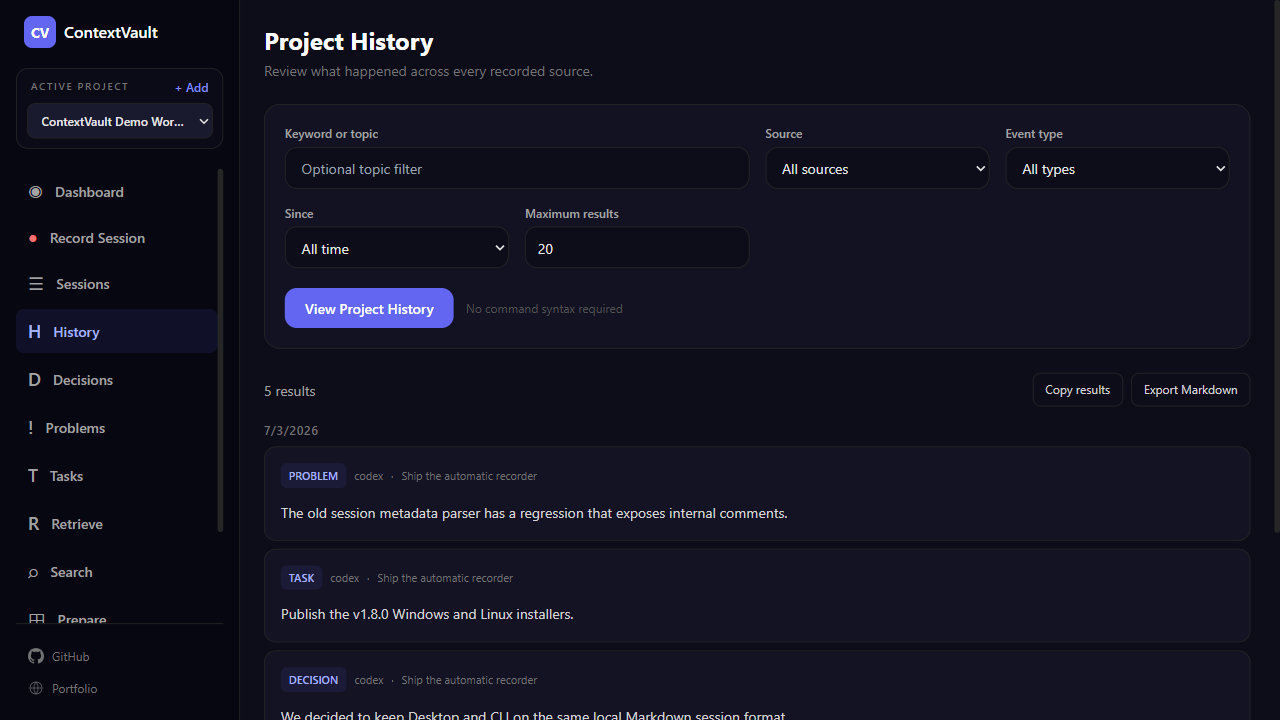
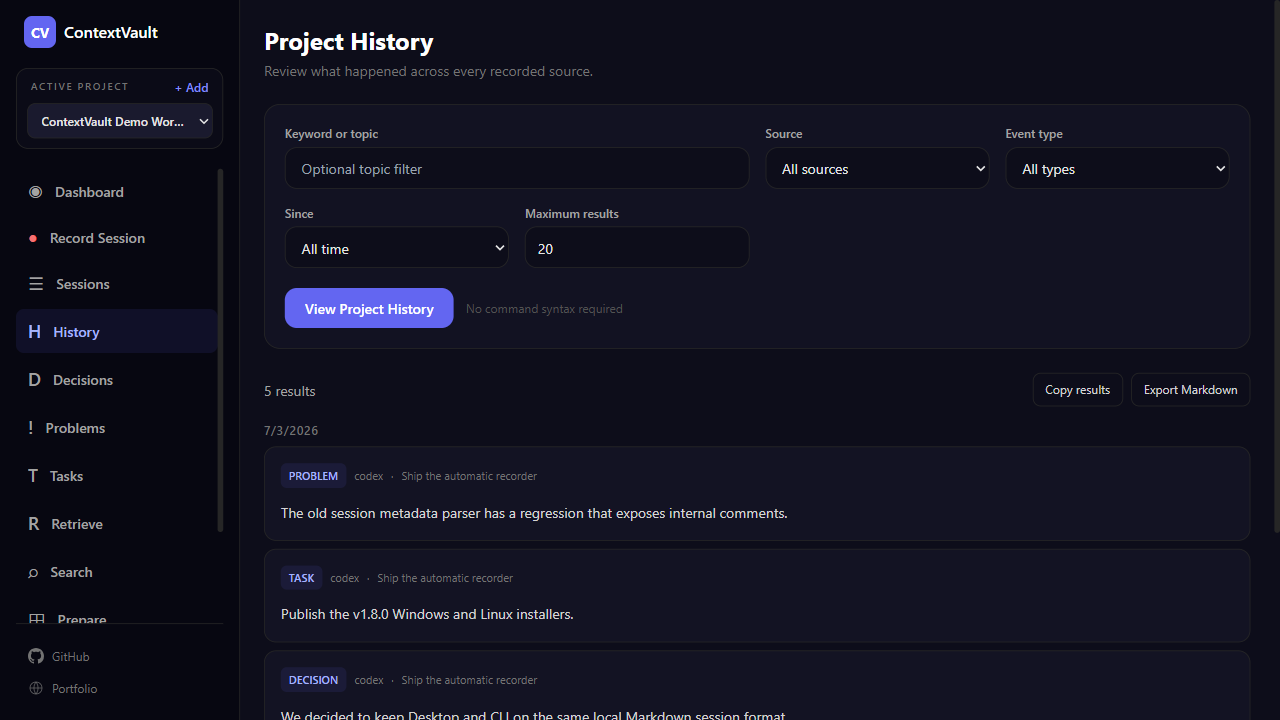
ContextVault Desktop History screen with source, type, time, and result filters

GUI first, commands optional

Dedicated History, Decisions, Problems, Tasks, Retrieve, Search, and Prepare screens with copy/export. Raw arguments stay under Advanced CLI Mode.

Windows (.exe) · Linux (.AppImage) · macOS source build

Privacy

Local-first by default

ContextVault stores captured context locally. Browser conversations stay in the browser, and terminal sessions stay in your project.

01No backend
02No product telemetry
03No sync required
04No accounts

Captured context is saved to local browser storage or local Markdown files. No ContextVault backend, no user accounts, and no third-party API is needed to record or export your data.

Get Started

Own your AI context locally

Download the Desktop app for a visual interface, install the browser extension for LLM chats, or use Vault Terminal from the command line. Free, open source, and local-first.

Windows and Linux installers are ready. macOS is supported via local source build.

Browser Capture + Terminal Capture + Desktop App - Open source - MIT license

Read the technical FAQ